Visualize a New Wardrobe in Your Bedroom
Update your storage style seamlessly. See how a built-in wardrobe versus a freestanding armoire changes the flow and spaciousness of your master bedroom.
The Design Challenge
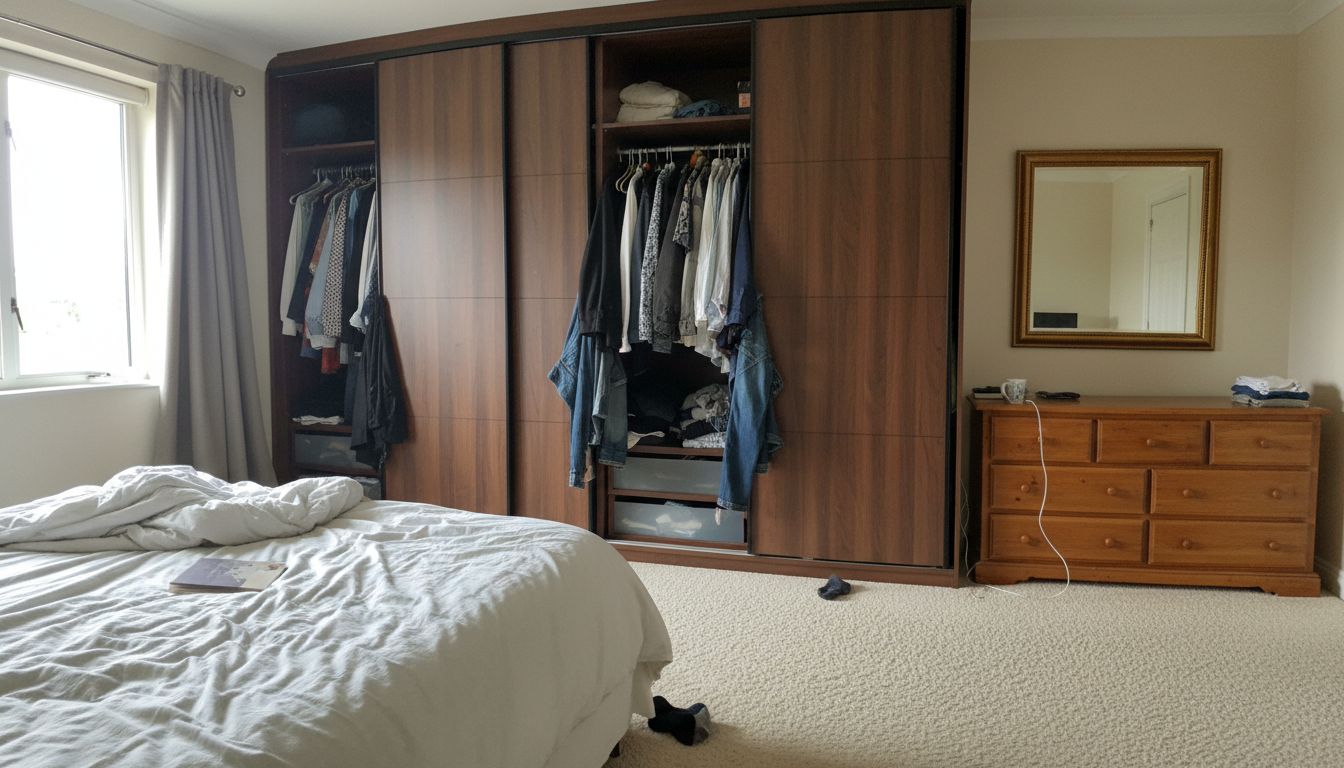
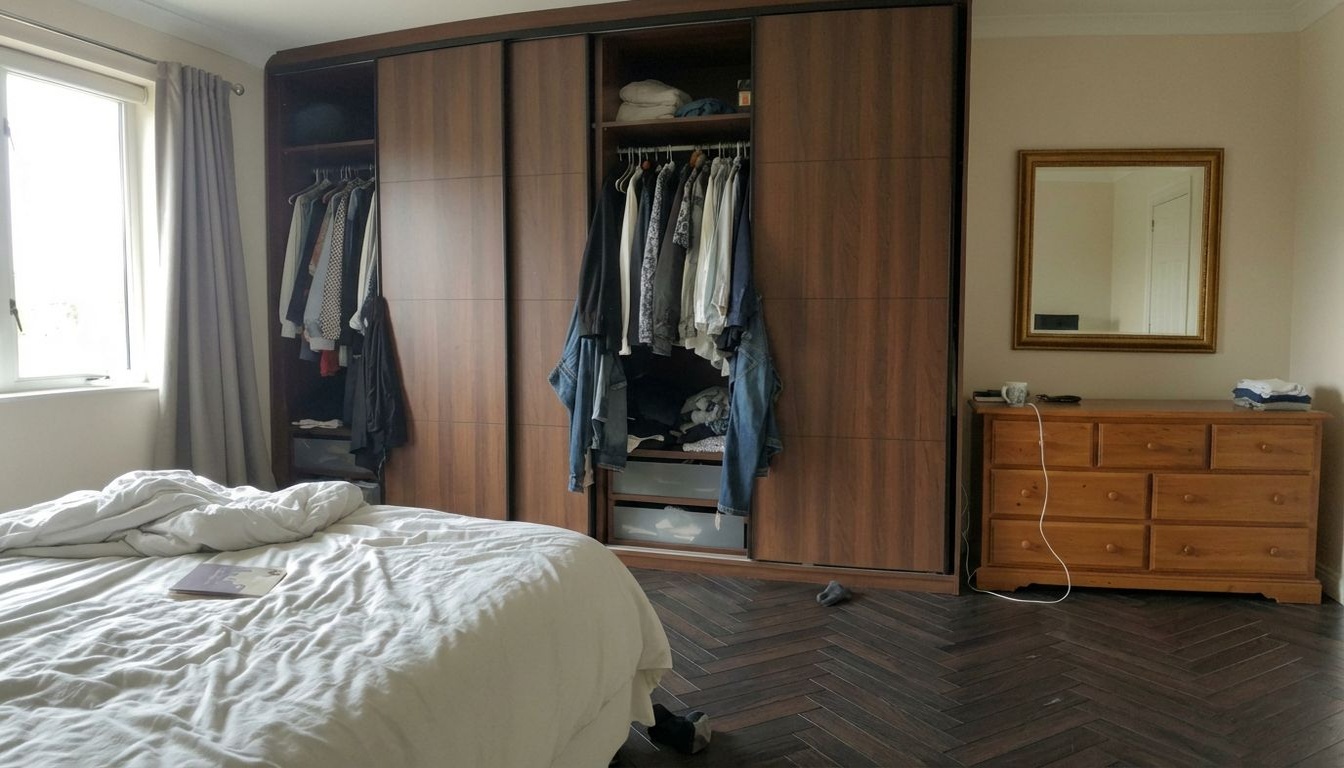
Built-in wardrobes dominate bedroom walls, and their appearance has an outsized impact on how the entire room feels. In this master bedroom, a large wall-to-wall walnut-paneled sliding wardrobe with dark frame accents provides ample storage but gives the room a heavy, dated look -- especially with the doors partially open exposing hanging clothes and cluttered shelves. RoomLab.app's Replace mode swaps it for a sleek white high-gloss sliding wardrobe with minimal aluminum framing, completely modernizing the bedroom wall.
How the Swap Transforms the Room
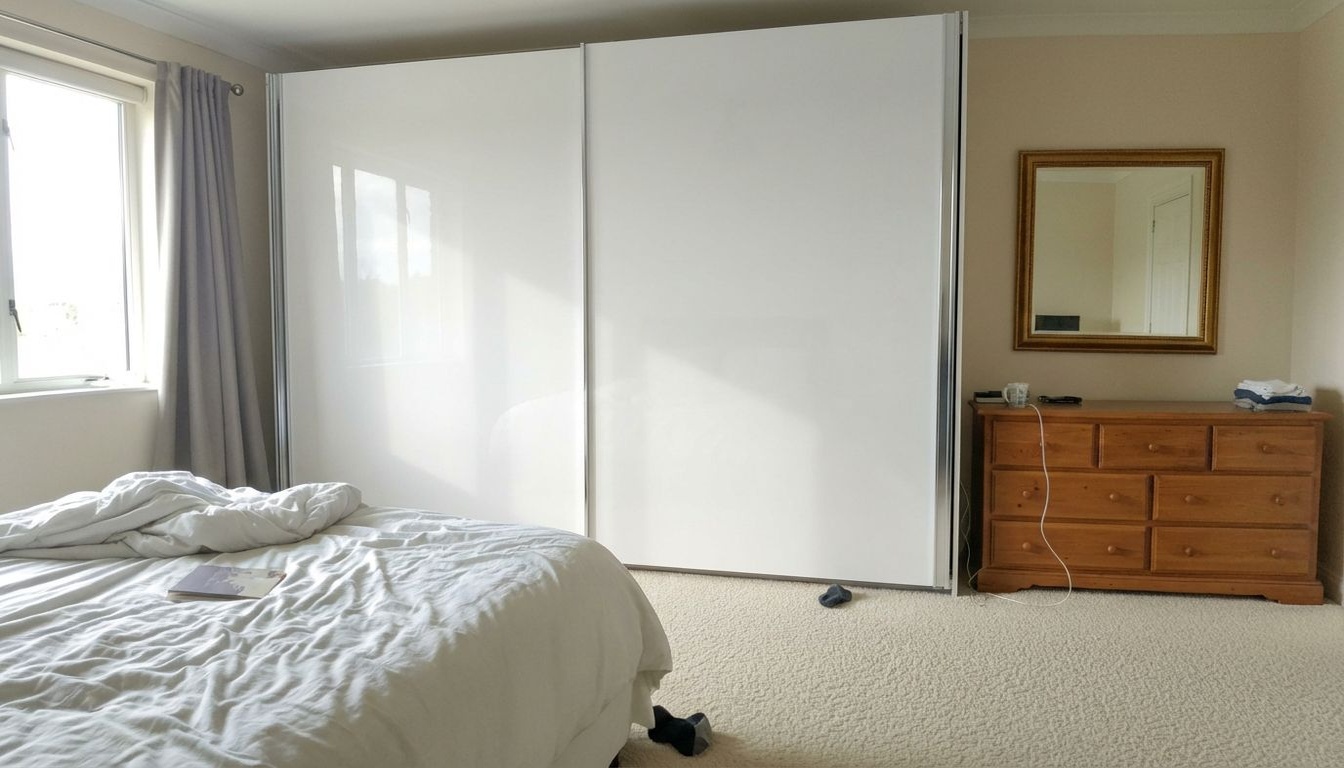
The transformation is remarkable. Where the walnut wardrobe absorbed light and visually weighed down one entire wall, the white gloss doors reflect natural light from the window, making the room feel significantly brighter and more spacious. The clean, handleless design eliminates visual clutter and introduces a contemporary minimalism that pairs well with the existing cream walls and the traditional pine dresser with its gold-framed mirror. The aluminum edge trim adds just enough definition to prevent the white surface from looking unfinished.
Tips for Your Space
High-gloss wardrobe doors are a particularly smart choice for bedrooms because their reflective surface bounces light around the room similarly to a mirror, which can make even modest bedrooms feel larger. When selecting a wardrobe finish, consider that white gloss shows fingerprints more readily than matte or wood-grain alternatives, but the aesthetic payoff is significant. This example demonstrates how upgrading a single storage piece -- without changing its footprint or function -- can shift a bedroom from cluttered and heavy to airy and modern in seconds.
Inputs Used
Ready to Transform Your Space?
How to Recreate This
Replace a heavy walnut sliding wardrobe with a modern white high-gloss wardrobe in a master bedroom using RoomLab.app's Replace mode.
✨ What You'll Achieve
Original Room
Selected Asset
After
Select Mode
Choose the Replace Furniture card from the mode grid.
Change one thing
 Replace FurnitureReplace selected furniture using one or several photos.
 Replace MaterialNew floor, tiles or wallpaper from a sample photo.
 Wall ColorsRepaints the walls. Compare 9 colors at once.
 Upscale Image to 4KIncrease image resolution while keeping its framing and aspect ratio.
Upload Your Room
Upload a photo of your master bedroom showing the walnut-paneled sliding wardrobe, the bed, and the pine dresser with mirror.
Upload Reference
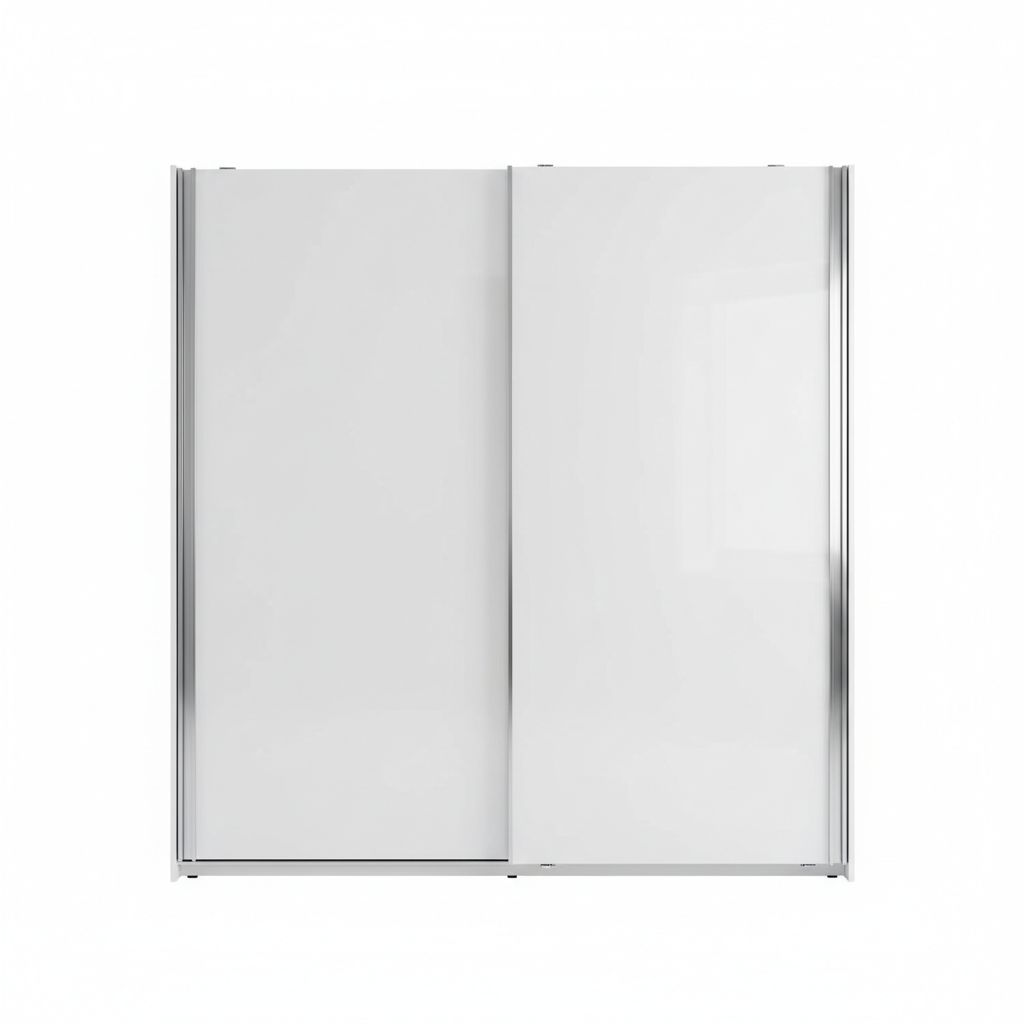
Upload a product image of the white high-gloss sliding wardrobe with aluminum framing.
Configure Options
Select 'Furniture' as the replacement category. The AI will identify the wardrobe as the target piece and replace it with the reference design.
Generate
The result shows the master bedroom with the heavy walnut wardrobe replaced by bright white gloss sliding doors, dramatically lightening and modernizing the room.
Your Result
🎯 Try the Result
Drag the slider to compare before and after!
Frequently Asked Questions
Will a white gloss wardrobe look mismatched next to a traditional pine dresser?
Mixing contemporary and traditional pieces is a well-established design approach called transitional style. The white wardrobe modernizes the room while the pine dresser adds warmth and character. The contrast actually makes both pieces more interesting than if everything matched perfectly.
Does the high-gloss finish make the room look brighter?
Yes. High-gloss surfaces reflect ambient and natural light much like a mirror does, bouncing brightness around the room. In this example, the white gloss doors catch window light and redistribute it, making the bedroom feel noticeably more open compared to the light-absorbing walnut panels.
Can I see how a new wardrobe style looks without removing my existing one?
That is exactly what RoomLab.app's Replace mode enables. Upload a photo of your bedroom showing the current wardrobe and a product image of the replacement. The AI swaps the wardrobe visually, letting you evaluate the new look before making any purchasing or renovation decisions.
Bring your chosen pieces together in an empty or furnished room with Virtual Staging. See how to use your chosen furniture
Replace Furniture
Explore Replace Furniture Feature
Replace Furniture
Read the Replace Furniture Tutorial
Perfect For
Related Examples
More Replace Examples
Compare Flooring Options in Your Master Bedroom

Preview Wall Colors for Your Home Office
See How New Flooring Expands Your Small Bathroom
Preview a New Refrigerator in Your Kitchen
See How Different Beds Fit Your Guest Room