Edit Real Estate Videos with AI Change the Room, Keep the Shot
Upload a clip you already filmed and describe the change. RoomLab.app stages the empty room, swaps the furniture, repaints the walls or turns day into dusk, and keeps your camera move, framing and length.
One-time plans from $15
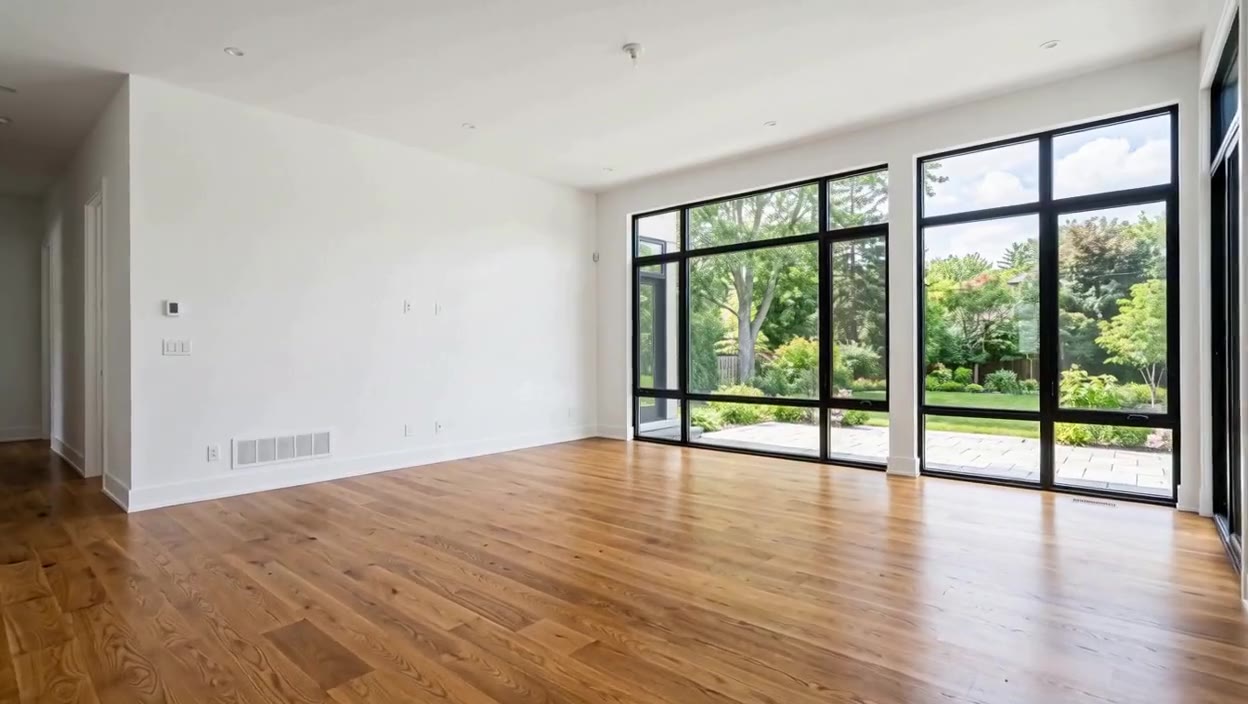
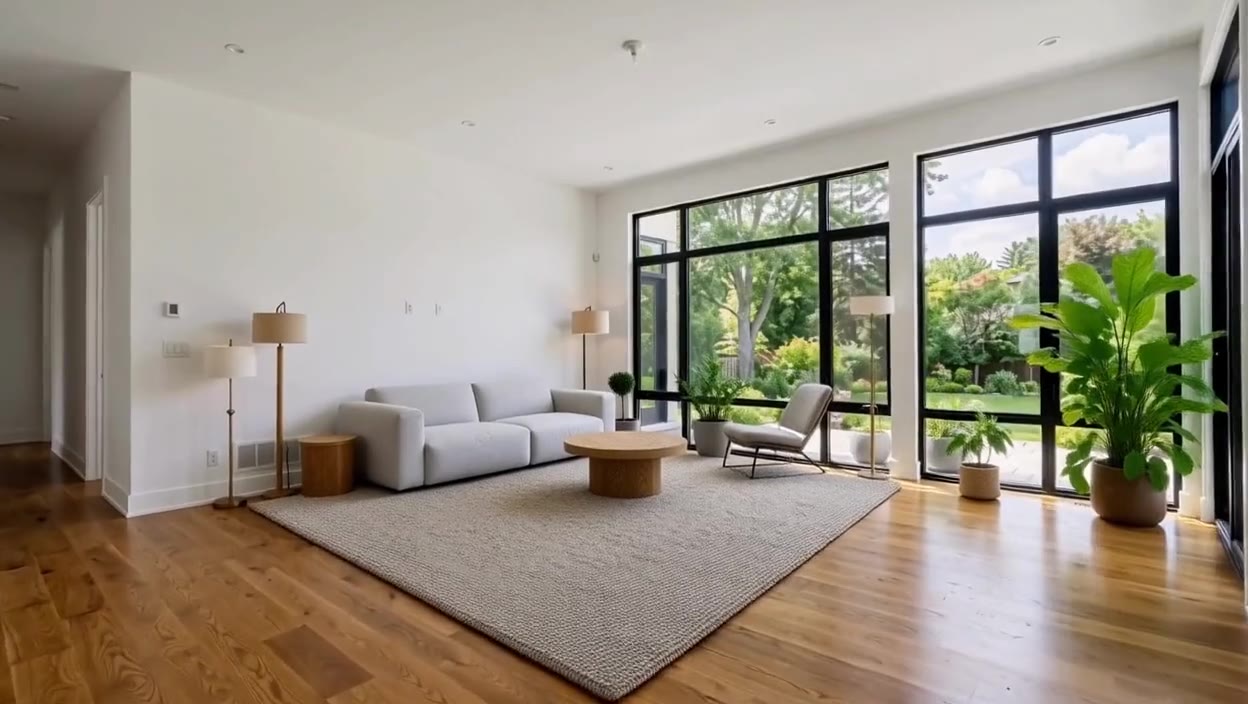
How to Edit a Real Estate Video in 3 Steps
Edit Video works on footage you already have. It changes what you ask for and keeps the length, framing, camera move and sound of your clip, so the edited clip drops straight back into your listing video or social post.
Upload your clip. An MP4 or MOV between 1 and 15 seconds, up to 50 MB. Trim a longer walkthrough into short clips first.
Describe the change. Write what should change, or start from a suggestion such as Furnish the room, Declutter or New flooring. Anything you don't mention stays as filmed.
Get the same shot back. RoomLab.app returns your clip with the change, usually within a few minutes, ready to download.
Used by property and design teams around the world



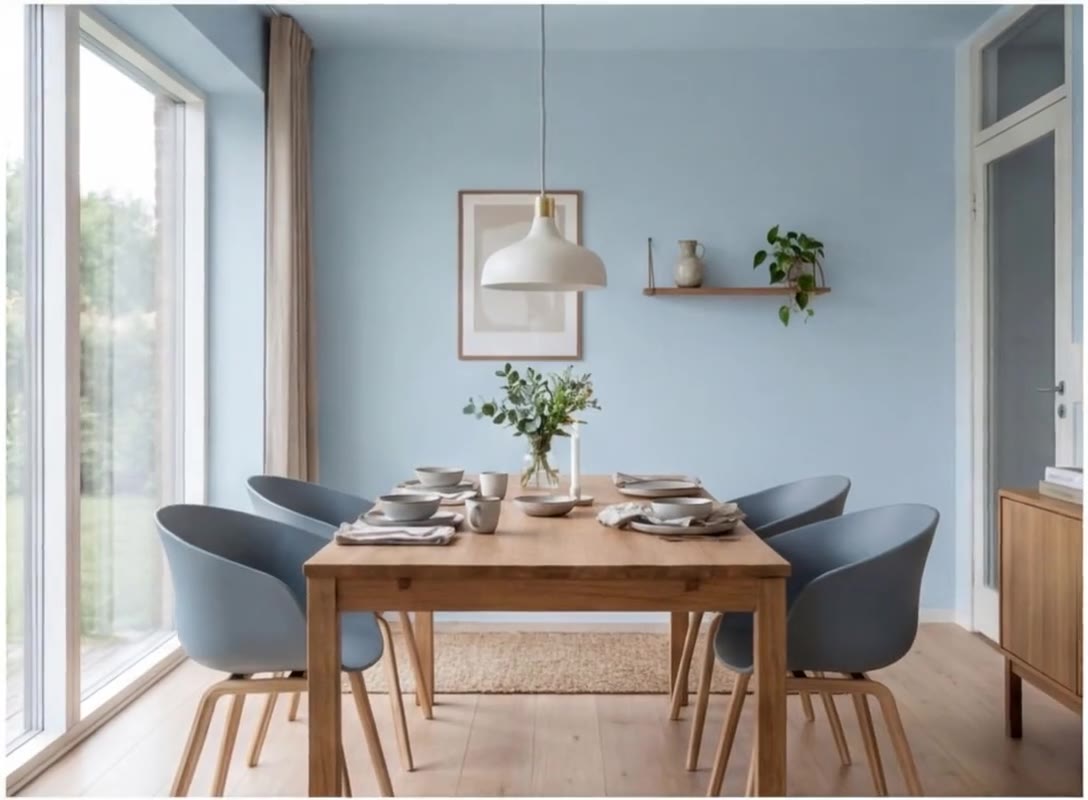
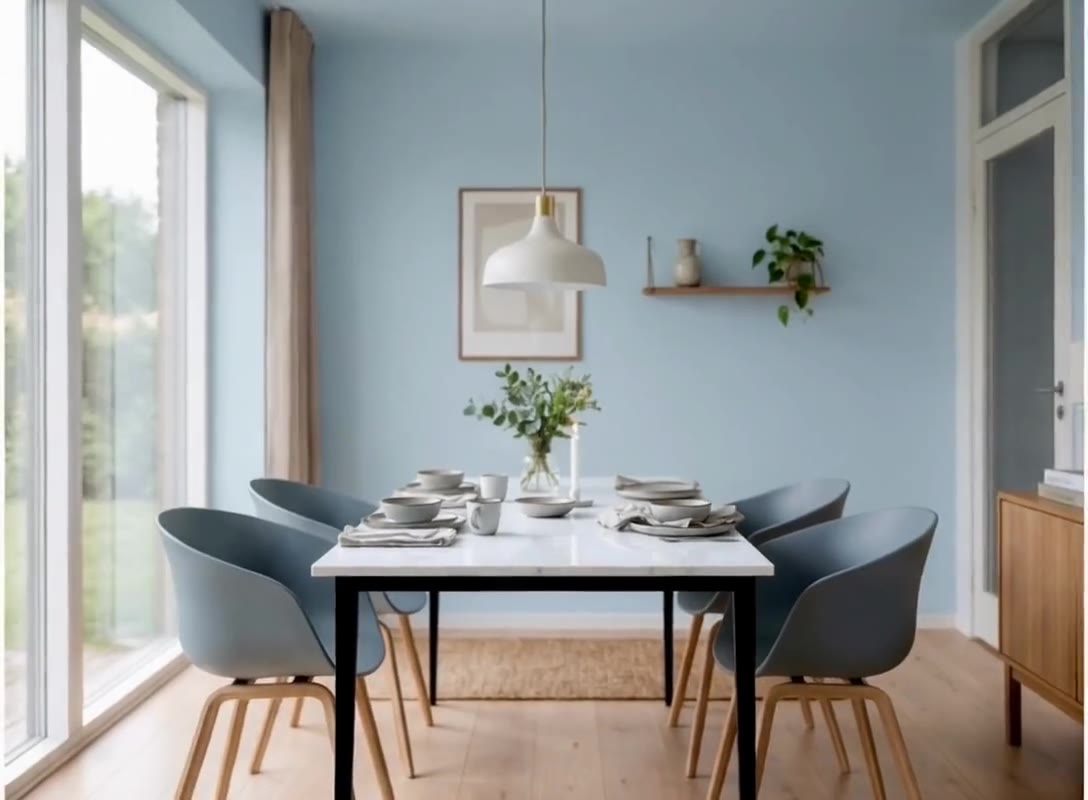
Swap the dining table
Replace the light oak dining table with a white marble table with slim black metal legs.
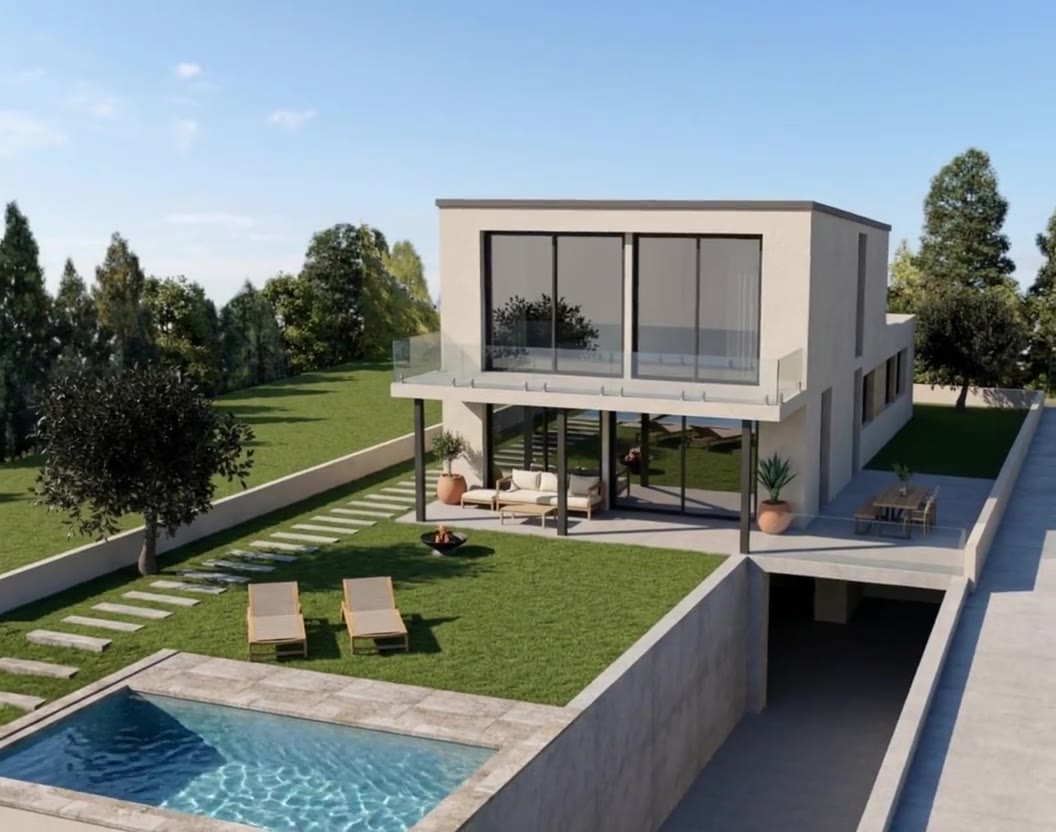
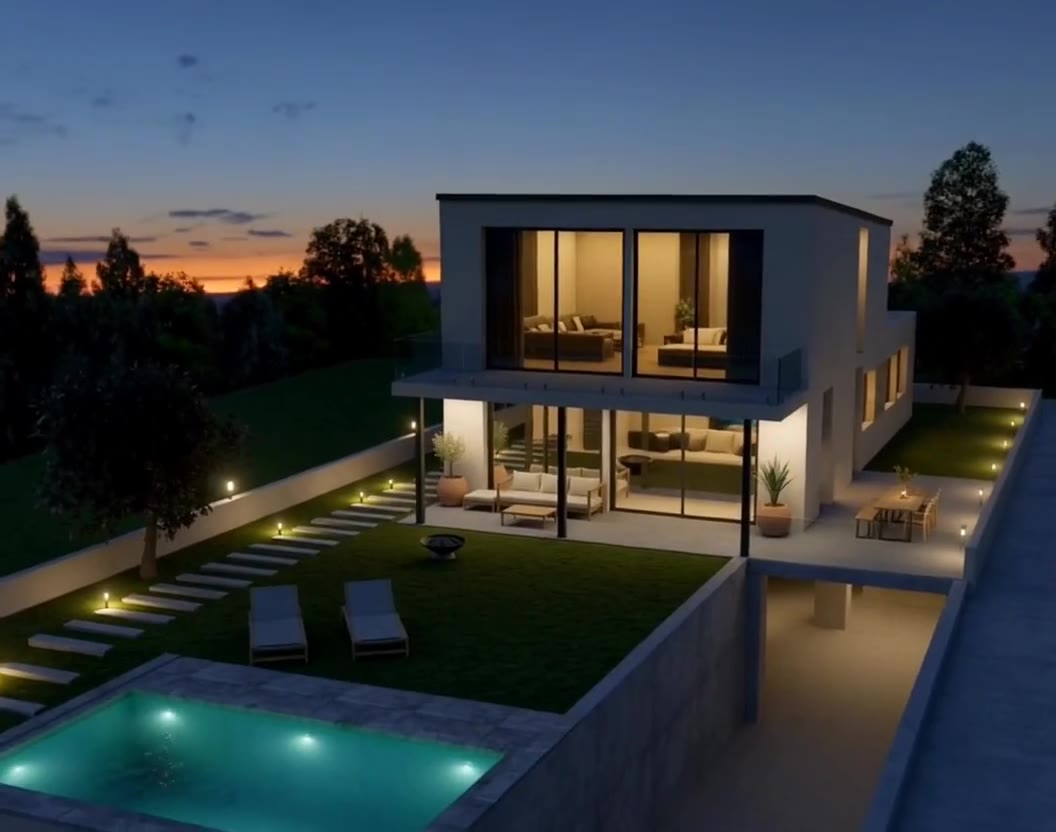
Turn day into dusk
Turn this into a twilight shot: a dusk sky, warm light in every window, and the pool and garden path lights switched on.
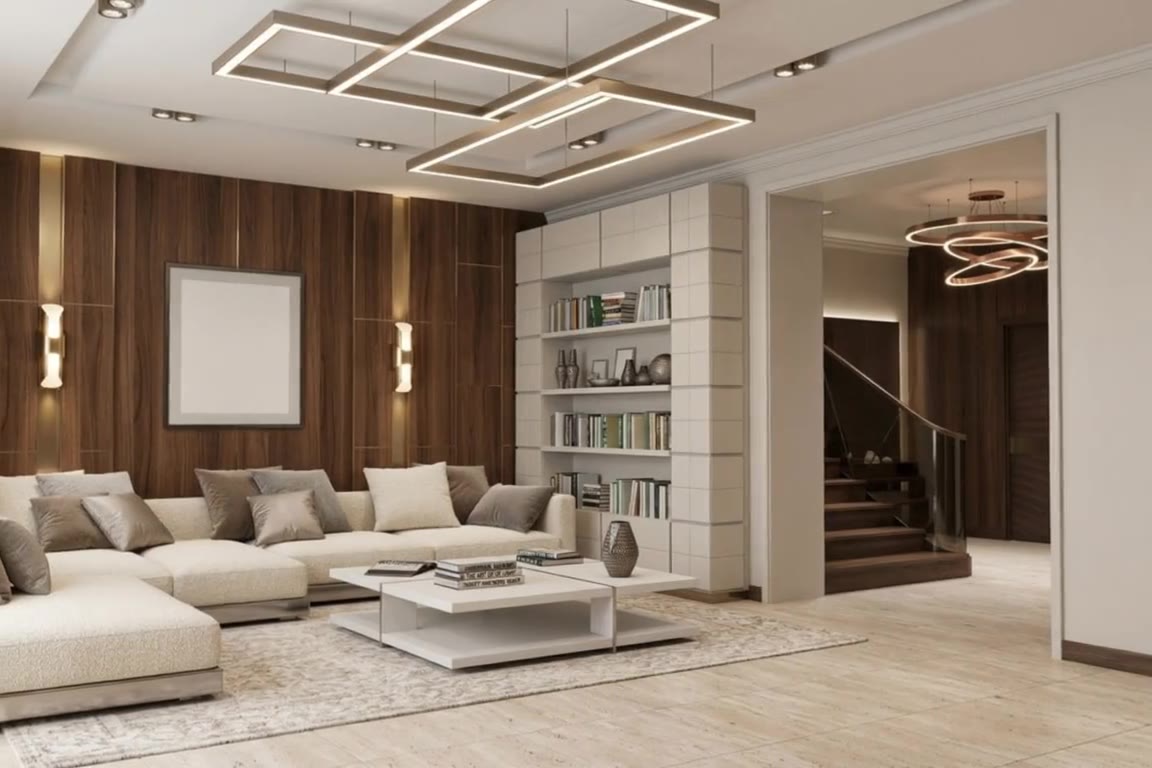
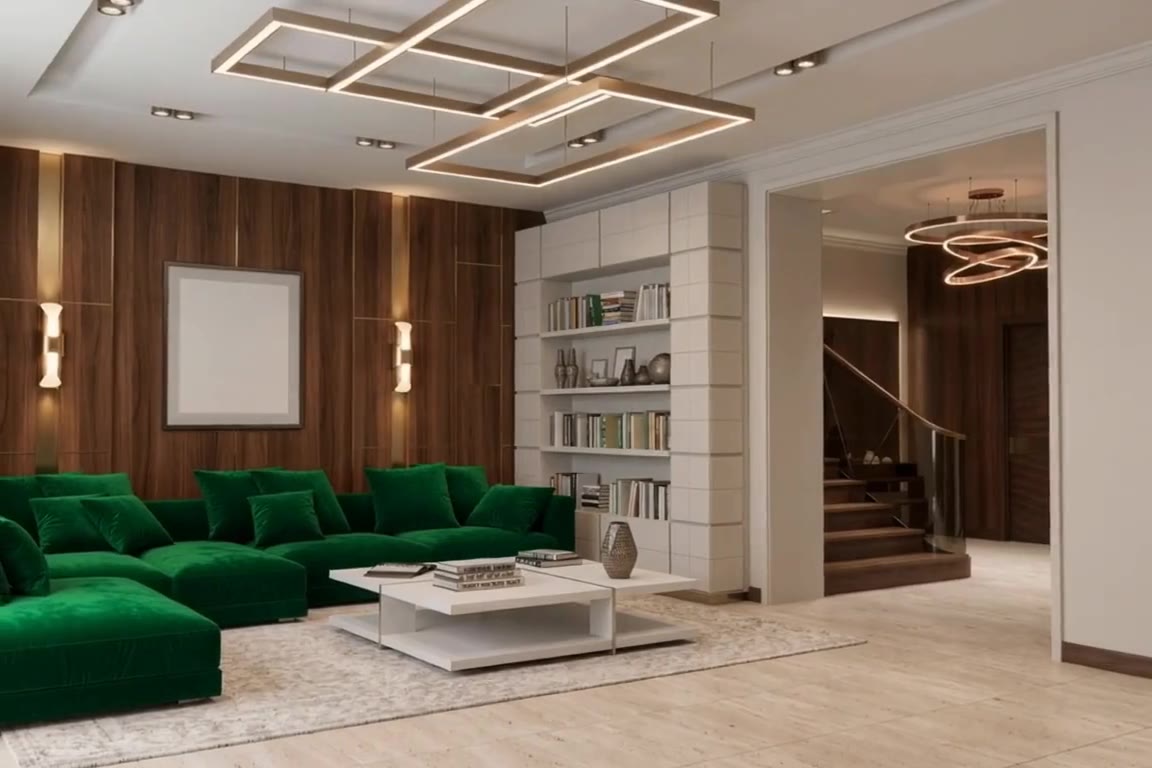
Change the sofa
Replace the cream sectional sofa with a deep emerald green velvet sectional of the same shape.
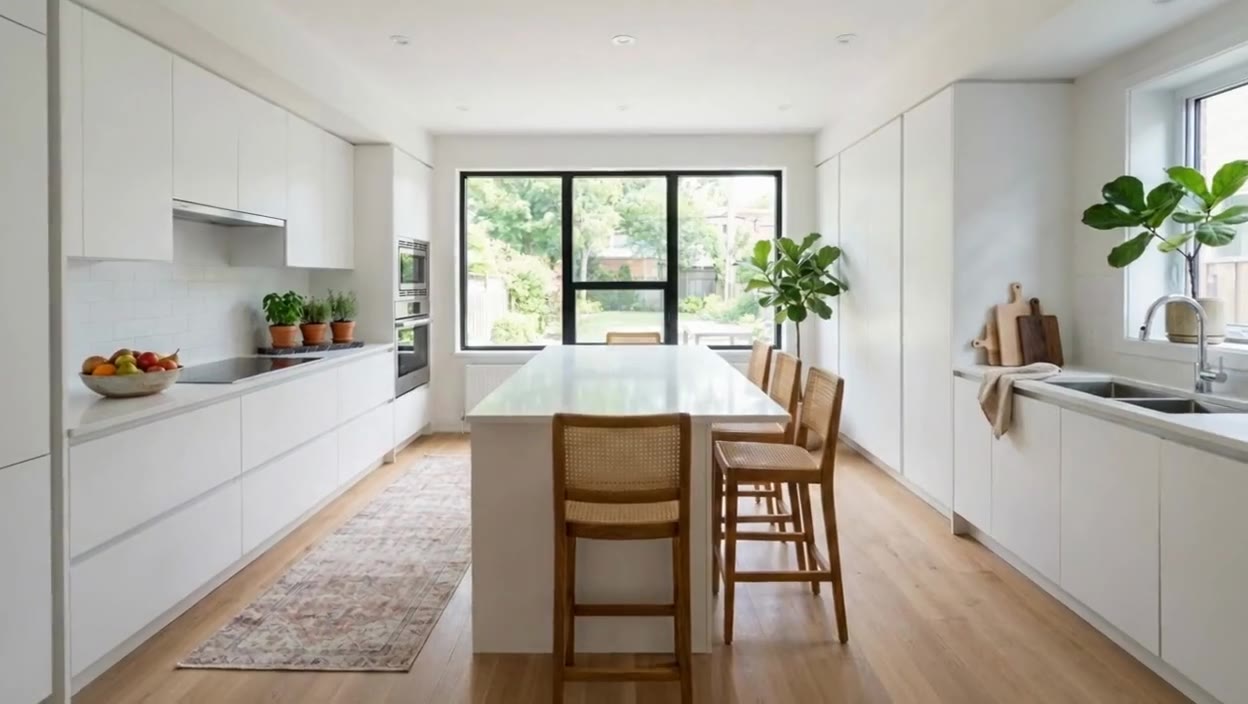
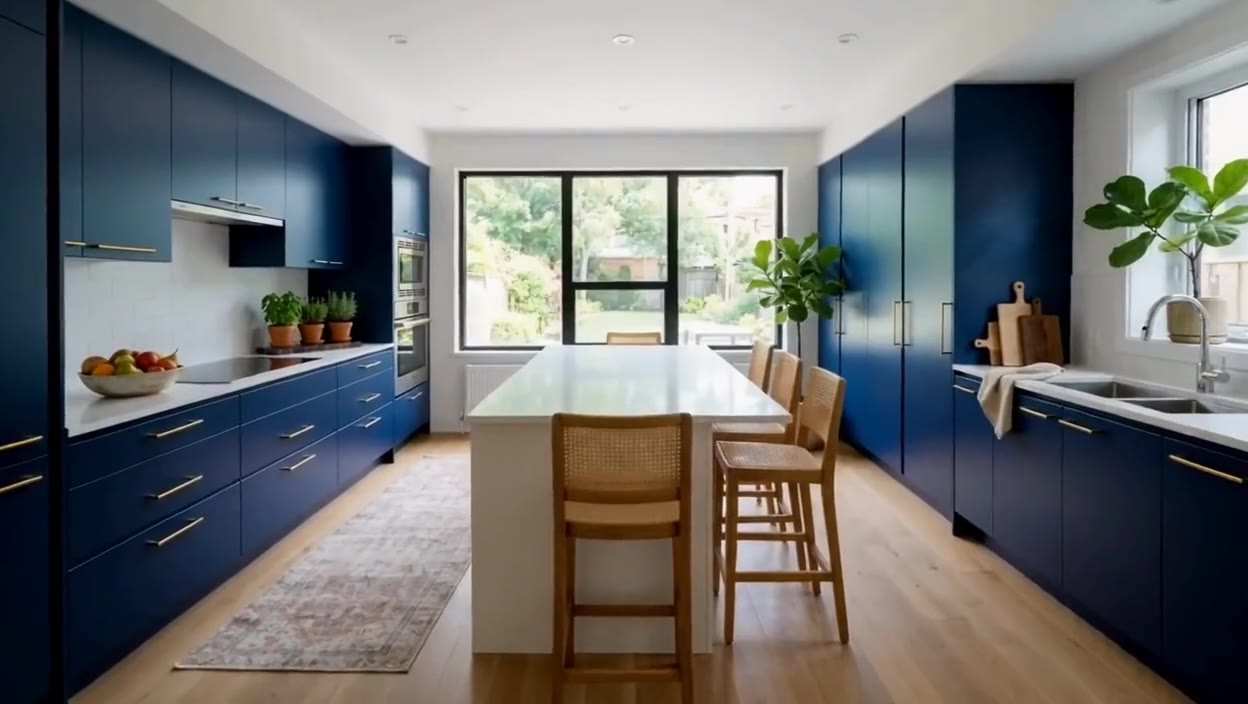
Repaint the kitchen
Paint the kitchen cabinets deep navy blue with brushed brass handles.
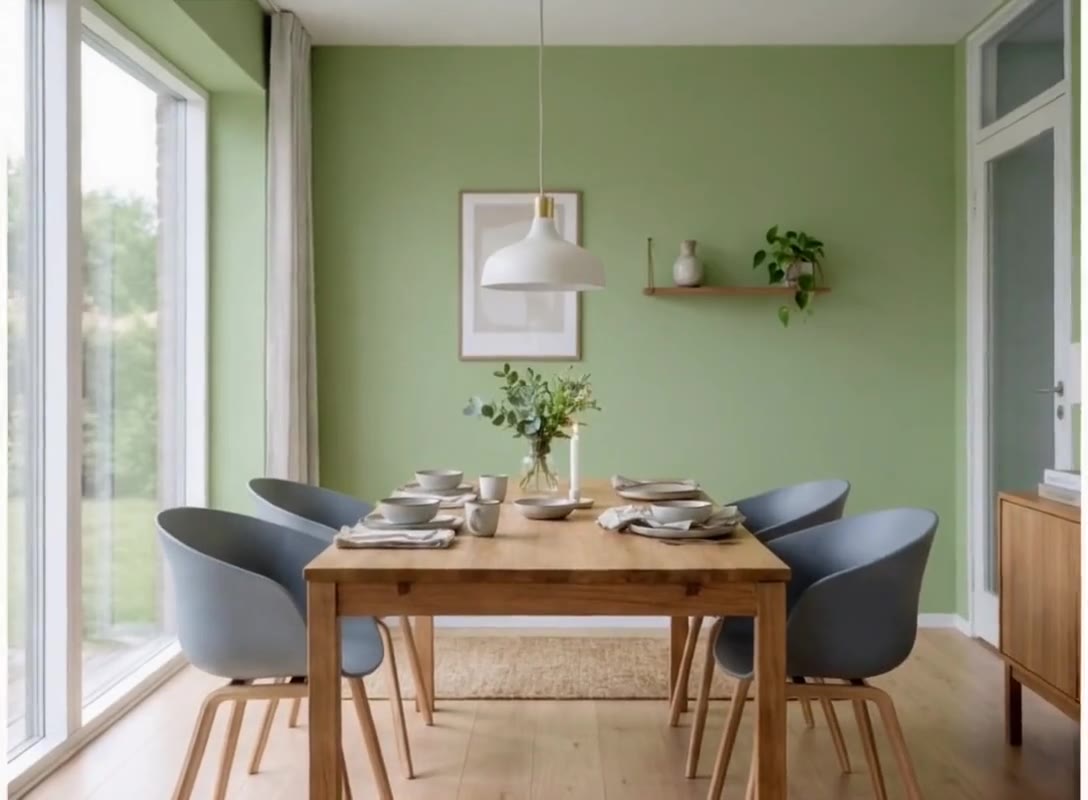
Change the wall color
Paint the walls a soft sage green with a matte finish.
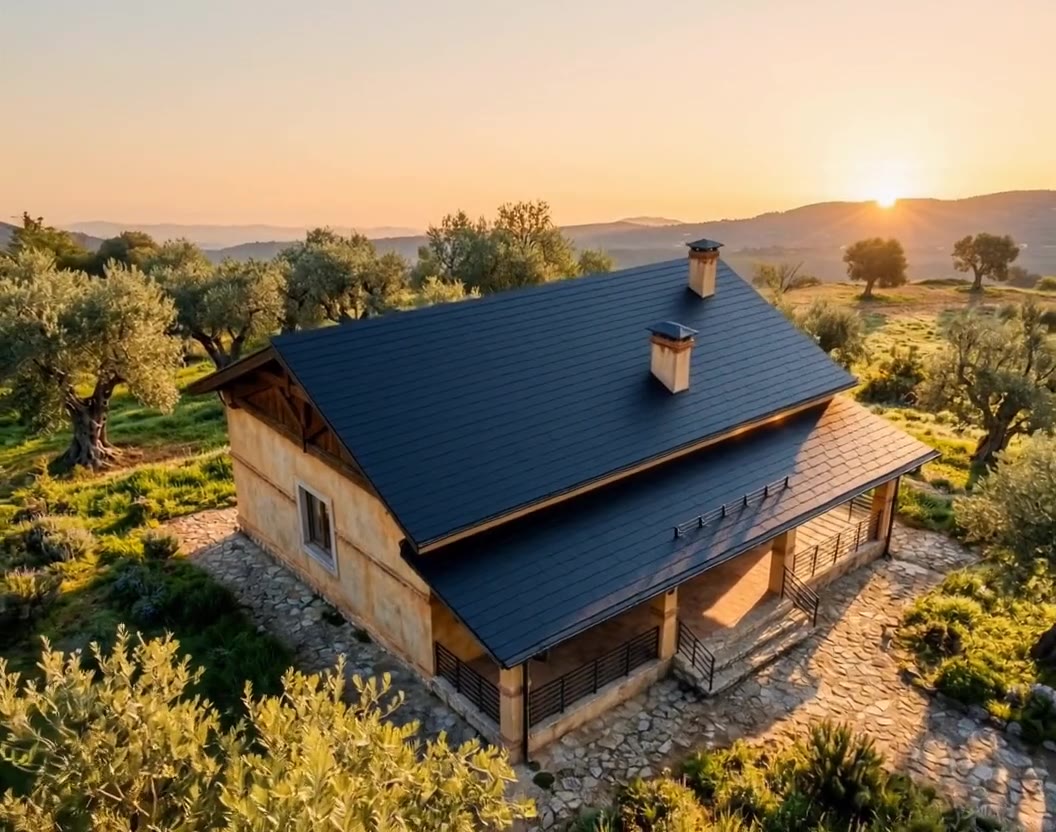
Replace the roof
Replace the terracotta roof tiles with dark charcoal slate tiles.

Edit Video: Frequently Asked Questions
Can you virtually stage a video?
Yes. Upload a clip of the empty room, 1 to 15 seconds long, and ask Edit Video to furnish it, for example with a sofa, a rug and lamps. The furniture stays in place as the camera moves, and the camera move itself does not change. If you only have photos, Video Transition animates an empty room photo into a staged one.
Is there an AI that can edit real estate videos?
Yes. Edit Video in RoomLab.app edits what is inside a short property clip from a written request: it can stage an empty room, swap furniture, repaint walls, declutter or turn a daytime exterior into dusk, while keeping the clip's camera move and length.
What is the best video editor for real estate?
It depends on the job. To cut clips together and add music, captions or your branding, use a regular video editor. To change what is inside the shot, such as the furniture, the wall color or the time of day, use Edit Video, then put the edited clip back into your edit.
Will the camera movement, length or audio change?
No. The edited clip keeps the length, framing, camera movement and audio of the clip you uploaded. Only what you ask for changes, although small details can shift along with the edit, so watch the result before you publish it.
Which videos can I upload?
MP4 or MOV clips between 1 and 15 seconds long and up to 50 MB, including clips filmed on a phone. For a longer walkthrough, trim it into clips of 15 seconds or less and edit each one.
How much does Edit Video cost?
Edit Video uses credits based on the length of your clip: 50 credits for up to 5 seconds, 100 for up to 10 seconds and 150 for up to 15 seconds. Every new account can try RoomLab.app with one free image; editing videos needs credits, from a one-time pack or a subscription.
Do I need to disclose an edited listing video?
In many markets, yes. If a listing video shows furniture, finishes or light that aren't really there, label it as virtually staged or edited, just as you would with staged photos.
Explore More Features
Discover what else you can achieve with RoomLab.app
Replace Furniture
Swap furniture pieces in photos to visualize options before purchase.
Replace Materials
Swap flooring, countertops, walls, and other surfaces to compare options.
Paint Color Visualizer
Preview any wall paint color on any room — pick your own or use our curated presets.
Custom Prompt
Describe any transformation in natural language for unique results.
Virtual Staging
Add furniture and decor to empty rooms for listing-ready property photos.
Declutter Rooms
Remove mess and personal items while keeping the furniture intact.
Remove Furniture
Empty any room photo to show the bare space and its potential.
Change Style
Restyle existing rooms while preserving layout and structure.
3D to Photorealistic
Convert 3D models and renders into stunning photorealistic images.
Video Generation
Create walkthroughs, before-and-after transitions and multi-room house tours from property photos, or edit a clip you filmed.
Photo Enhancement
Blue skies, green grass, clean pools — one-click fixes for listing photos.
Pay only for the images you want to generate
All users get all features.
One-Time
Personal
One-time purchase, no subscription
15 images or 3 videos
150 Credits
One-time payment · no subscription
Subscriptions
Pro
For personal projects
40 images or 8 videos
400 Credits
Cancel anytime · unused credits saved for when you return
Ultra
Best for professionals
110 images or 22 videos
1,100 Credits
Cancel anytime · unused credits saved for when you return
Premium
For agencies and power users
300 images or 60 videos
3,000 Credits
Cancel anytime · unused credits saved for when you return
Personal
One-time purchase, no subscription
15 images or 3 videos
150 credits, paid once
- Every tool except House Tour
- Download your designs without a watermark
One-time payment · no subscription
Pro
For personal projects
$16.67/mo · billed yearly
40 images or 8 videos
400 credits every month 400 credits added every month
- Every tool, including House Tour
- Refill packs if you run low
Renews monthly until cancelled Renews yearly until cancelled
Most Popular
Ultra
Best for professionals
$40.83/mo · billed yearly
110 images or 22 videos
1,100 credits every month 1,100 credits added every month
- Every tool, including House Tour
- Refill packs if you run low
Renews monthly until cancelled Renews yearly until cancelled
Have any question?
How much does each generation cost?
How long does it take to generate an image?
What happens if I run out of credits mid-month?
What are credits?
Do credits expire?
Can I upgrade my plan?
How long are my images stored?
Can I get a refund?
Can I get a receipt or invoice?
What are input photos?
What happens to my personal photos?
What happens if I cancel my subscription?
Professional Results. Fraction of the Cost.
Get photorealistic interior renders in seconds, not days. Professional-grade AI visualization with full creative control — no design skills needed.
One free image, no credit card required