Virtual Renovation for Real Estate: Show What a Dated Listing Could Become
 David Sirera
 The short answer: virtual renovation means editing a listing photo of a dated room to show what it could look like after an update: new wall finishes, flooring, tile and furniture, with the same walls, windows and camera angle. Agents and flippers use it so buyers see the potential of a tired house instead of its pink tile. An AI tool such as RoomLab.app makes one from a single photo, without waiting for an editor. Below are three real before and after examples from dated rooms, including one that went too far, plus how to label the result so it helps the listing instead of misleading buyers.
Key takeaways
- Staging adds furniture, renovation changes the room: virtual staging furnishes an empty room; virtual renovation changes surfaces such as tile, flooring and wall finishes in a room that exists.
- Use it on dated rooms that are sound: it sells the potential of a kitchen, bath or bedroom that only needs cosmetic work, never a room with damage you want to hide.
- Check every output against the original: in our three examples, two kept the windows, fixtures and camera angle. The third invented brick walls, ductwork and new windows, so it is not usable for a listing.
- Label it and show the original: a renovated photo shows something that does not exist yet, so it needs a clearer label than staging. California's MLS guidance asks for the unedited image in the listing too.
What is virtual renovation in real estate?
Virtual renovation is a listing photo edited to show a room after a cosmetic update that has not happened yet. The camera angle, the walls, the windows and usually the main fixtures stay; the finishes change. Typical edits are replacing dated wall tile, swapping carpet for wood flooring, painting over wallpaper or paneling, updating cabinets and countertops, and restyling the furniture to match.
It exists for one kind of house: sound but dated. A 1980s bathroom with pink tile and a floral shower curtain photographs badly, and it is hard to picture a room without the tile it has. A renovated version placed next to the real photo answers a question many buyers would not stop to ask: what could this room be? Agents use it on estate sales and long-held homes, and investors use it to market a flip before or during the work.
Services used to do this by hand in Photoshop or 3D. AI tools now do it from one photo. In RoomLab.app the tool for it is Change Style, which restyles the room you upload while keeping its layout, and Replace Material for a single surface such as the floor or the backsplash. Both sit with the staging, decluttering and video tools in RoomLab.app for real estate listings, so one photo set can go through all of them.
Virtual renovation vs virtual staging: what is the difference?
Virtual staging adds furniture and decor to an empty room. Virtual renovation changes the room itself: its surfaces, finishes and fixtures. Staging shows how a buyer could live in the space as it is; renovation shows how the space could look after work and money. That difference matters for disclosure, because a staged sofa can be bought and moved in on day one, while renovated tile is a project.
| Virtual staging | Virtual renovation | |
|---|---|---|
| Starting photo | An empty or emptied room | A dated room, furnished or not |
| What changes | Furniture, rugs, decor | Walls, flooring, tile, cabinets, fixtures, and usually the furniture too |
| What the buyer gets at closing | The room as photographed, without the furniture | The original, unrenovated room |
| How it should be labeled | "Virtually staged" | "Virtually renovated, concept only", shown next to the original |
| RoomLab.app tool | Virtual Staging | Change Style, Replace Material |
If your listing is vacant and only needs furniture, staging is the right tool, and our guide to AI virtual staging for real estate covers it. Virtual renovation is for the rooms where furniture is not the problem.
When is a virtual renovation worth doing for a listing?
When the room is structurally fine but its finishes are what buyers will object to. Good candidates:
- Original bathrooms and kitchens: colored tile, dark cabinets, laminate counters. These are the rooms buyers price as "needs work" from the first photo.
- Long-held and estate homes: wallpaper, heavy drapes, green or pink carpet, dark wood furniture. The bones are often good, and the photos hide them.
- Fixer-uppers and flips: an investor can show the planned finish before the work is done, or show two finish options to a buyer who might want to choose.
- Rentals between tenants: a landlord can test whether an update is worth it before paying for it.
Skip it when the problem is not cosmetic. Water damage, cracks, a failing roof or an awkward floor plan are things buyers will find at the viewing or in the inspection, and a pretty photo of the same room will look like an attempt to hide them. It is also a poor fit for luxury listings that are already updated: there is nothing to show.
Investors sometimes ask whether an AI image tool can screen the rehab potential of a listing from its photos. It can show what a cosmetic update could look like, which helps you picture the result. It cannot tell you what the work costs, what is behind the walls, or whether a change needs a permit. Treat it as a visual, not an estimate.
How to virtually renovate a listing photo with RoomLab.app
You need one photo of the room and a few minutes. The steps:
- Pick a straight, well-lit photo. The tool keeps the camera angle, so start from the listing photo you would actually use: level, wide, with the windows visible. A dark or tilted photo gives a dark or tilted renovation.
- Upload it and choose Change Style. Set the room type (Bedroom, Bathroom, Kitchen and so on) so the result keeps the right fixtures.
- Choose a style. For a listing, pick something broad and neutral that most buyers like: Minimalist, Modern, Scandinavian, Coastal or Farmhouse. A bold style can show off the room but narrows who sees themselves in it. You can also add a style reference photo, or a short instruction such as "keep the clawfoot tub".
- Generate, then compare with the original. Check the windows, doors, ceiling height and fixed fixtures one by one. If any of them moved, changed shape or appeared from nowhere, generate again. This check is the step that keeps the image honest.
- For one surface, use Replace Material instead. If the room is fine except the floor or the backsplash, Replace Material swaps only that surface using a photo of the new material. Our walkthrough on changing the flooring in a photo shows it on a real floor.
- Label it and publish it next to the original. More on wording below.
Virtual renovation before and after: three real examples
These three come from RoomLab.app's own example library, made with Change Style on example photos of dated rooms. They are not customers' listings. The outputs are shown as the tool produced them, without retouching, and we picked them to show both what works and what does not.
Example 1: a pink-tile bathroom, Minimalist style
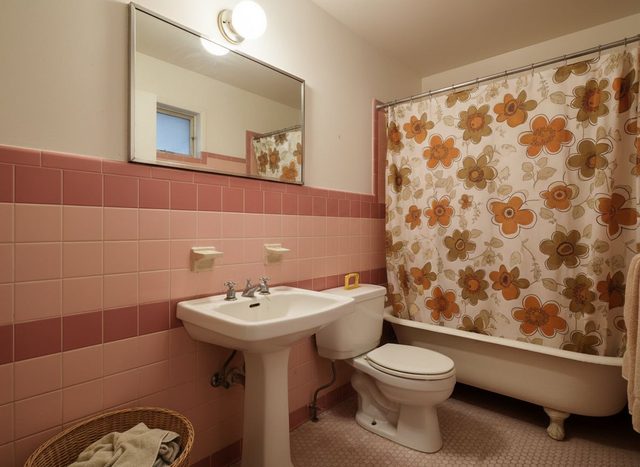
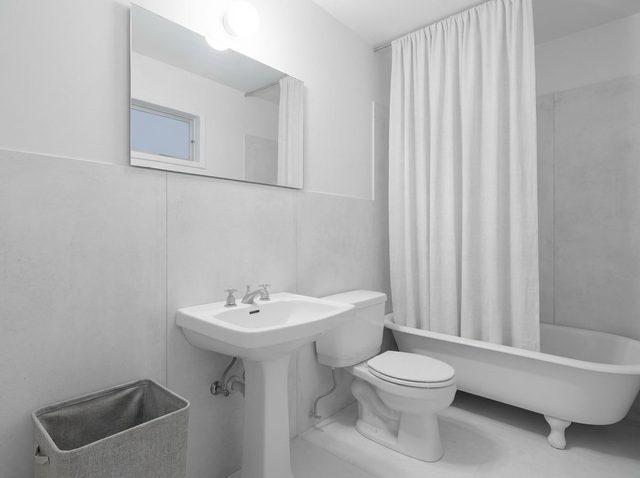
What held: the pedestal sink, toilet, clawfoot tub, mirror, globe light and the small window in the mirror's reflection are where they were, at the same angle. What changed: the pink tile wainscot became light gray large-format panels, the floor became pale, and the floral curtain became plain white. That is a believable cosmetic update: retile, new curtain, keep the fixtures. A buyer looking at both photos understands it in a second. Watch for: the result is very white and very empty. It reads clean in a listing, but it is a mood, not a spec: it does not tell the buyer which tile, at what price. See the full-size bathroom example.
Example 2: a dated bedroom, two directions from one photo
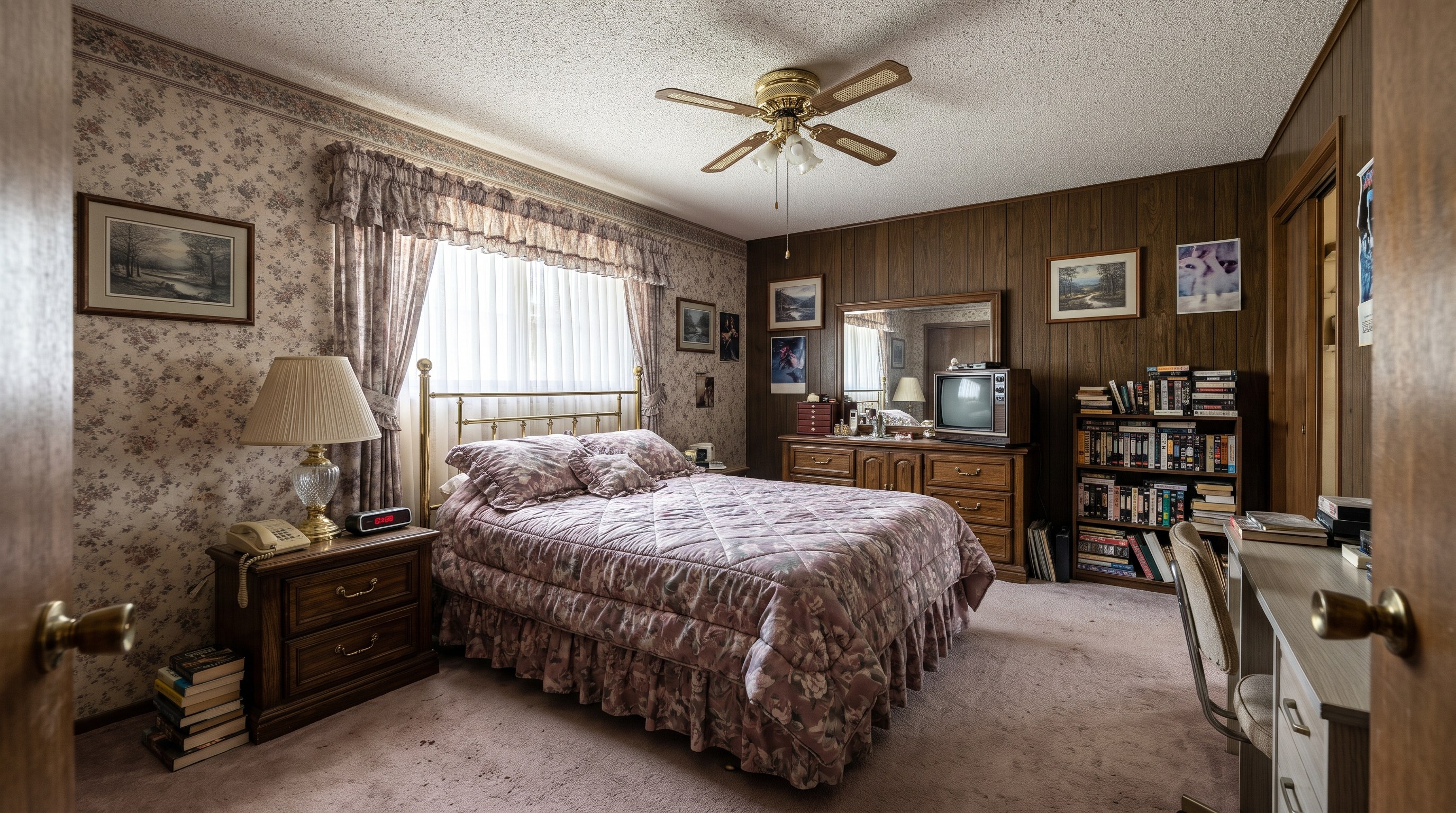
The second example started from a bedroom with floral wallpaper, red drapes, green carpet and dark wood furniture. The same photo went through Change Style twice, once Coastal and once Farmhouse.

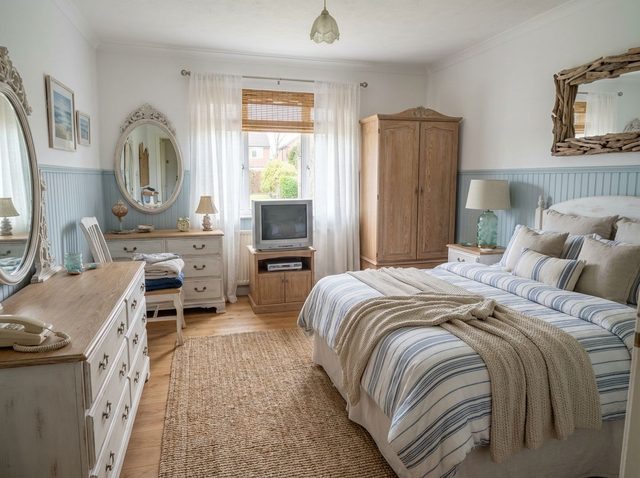
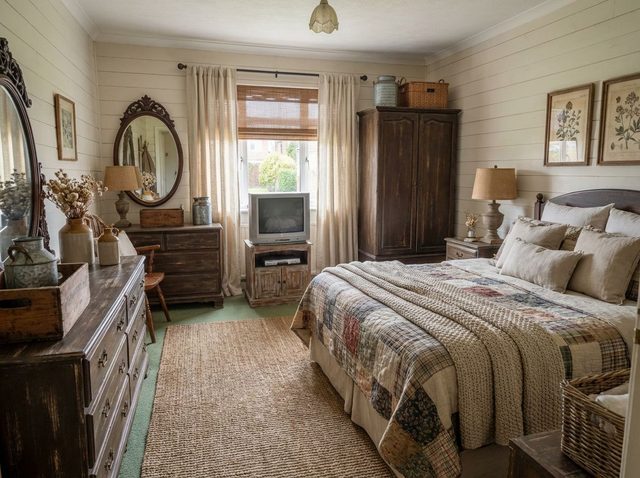
What held: in both versions the window, ceiling light, crown molding, the position of the bed, wardrobe, dresser and vanity, and the camera angle match the original. What changed: Coastal replaced the wallpaper with paint over blue wainscoting and the green carpet with light wood flooring. Farmhouse put shiplap on the walls but kept the green carpet under a jute rug. Showing both gives a buyer a choice: a bigger update (new floor) or a lighter one (walls and textiles). What did not: the old CRT television and the corded phone survived in both. The tool keeps objects in place unless you ask, so add an instruction such as "replace the television with a flat screen" or run Declutter Room first. Full-size: Coastal and Farmhouse.
Example 3: a traditional living room that went too far
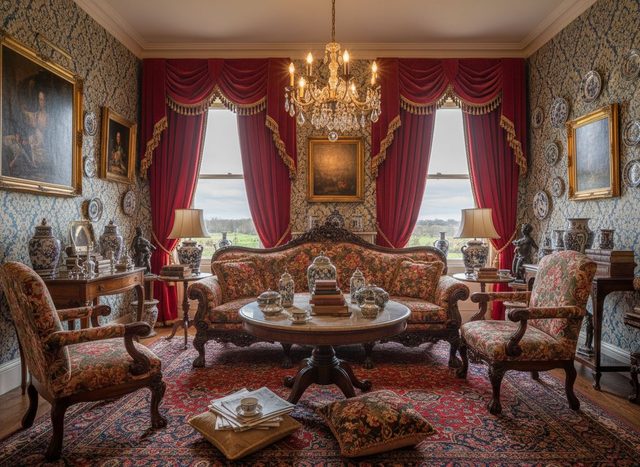

This one looks impressive and is the wrong result for a listing. The furniture arrangement held: a sofa between the windows, an armchair on each side, a table in the middle. But the room itself changed. The plaster walls became exposed brick, ceiling beams and ductwork appeared, and the two tall windows turned into gridded steel factory windows. None of that can be done with a cosmetic update, and a buyer who sees this photo and then walks into the real room would rightly feel misled. It is fine as a mood picture for a homeowner. For a listing, reject it and generate again, or pick a style that does not imply new architecture. Industrial is the style most likely to invent brick and steel.
That is the honest limitation of any AI virtual renovation, ours included: the tool is asked to keep the architecture, and most of the time it does, but not every time. Comparing each output with the original before it goes anywhere near a listing is not optional.
How do you disclose a virtual renovation in a listing?
Label the image on the photo itself, say what was changed, and show the original next to it. Virtual renovation needs a clearer label than staging, because the buyer will not get what the photo shows unless they pay for the work. Wording that works: "Virtually renovated: concept of a possible update. Room shown as is in the previous photo."
The rules point the same way. Article 12 of the NAR Code of Ethics says Realtors "shall present a true picture in their advertising, marketing, and other representations" (Source, 2025). In California, AB 723 took effect on January 1, 2026; the California Regional MLS says AI-altered images count as digitally altered, must be labeled with terms such as "digitally altered" or "virtually staged", and that "the original and unedited image must also be included in the listing" (Source, 2026). Your MLS may have its own policy on altered images, so check it before you upload. Our article on whether virtual staging is legal covers the disclosure rules in more detail.
Two practical habits make this easy. Put the renovated image directly after the real one, never first. And keep it in the description too: "Photos 6 and 8 show a virtual renovation concept of the bathroom and primary bedroom."
How much does virtual renovation cost?
Through a service, tens of dollars per image and a day or more of waiting; with an AI tool, the cost of one generation and a few minutes. Two published examples: Luxury Staging Pro lists virtual remodeling at $75 per image, or $35 per photo renovated without staging, delivered in about 48 hours (Source, as of October 2026, verify with the vendor). BoxBrownie's European site lists virtual renovation from €30 to €220 per image depending on the scope, typically delivered in 5 to 7 business days (Source, as of October 2026, verify with the vendor).
A service is the better choice when you need a specific spec rendered exactly, such as a named cabinet line or a wall removed, because a human designer will follow a brief that an AI tool may not. An AI tool is the better choice when you want to try several directions on many photos and pick what works, since each attempt is quick and you can regenerate a bad one yourself. The comparison of AI virtual staging versus staging services goes through the same trade-off for staging. RoomLab.app gives every new account one free image, no card required; RoomLab.app for real estate shows the tools agents use for listings in one place.
What a virtual renovation cannot tell a buyer
- It is not a quote. The image shows a finish, not its cost, the contractor's schedule or what is under the old tile.
- It is not a structural plan. Change Style keeps the walls and windows by design, so it will not show a removed wall or an opened-up kitchen. Showing those needs a designer or a render from plans, and an even clearer label.
- It is not always right. As example 3 shows, an output can invent architecture. Every image needs a human check against the original.
- It does not change what the buyer inspects. The house will be shown as it is. The renovated photo starts a conversation about potential; the original photo is the one that has to be accurate.
Frequently asked questions
What is the difference between virtual renovation and virtual staging?
Virtual staging adds furniture and decor to a photo of an empty room. Virtual renovation changes the room itself, such as its wall finishes, flooring, tile or cabinets, to show how it could look after an update. Staging shows the room as the buyer gets it, just furnished; renovation shows work that has not been done, so it needs a clearer label.
Is there an app that shows what a dated house could look like renovated?
Yes. RoomLab.app's Change Style tool restyles a photo of a dated room, changing finishes and furniture while keeping the walls, windows and camera angle, and its Replace Material tool swaps a single surface such as the floor or backsplash. Compare each result with the original before you use it. Every new account gets one free image, no card required.
Do you have to disclose virtual renovation in a real estate listing?
You should always label it, and in some places, such as California, you must. The NAR Code of Ethics requires Realtors to present a true picture in their advertising, and in California, AB 723 has required AI-altered listing images to be labeled since January 1, 2026, with the unedited original included in the listing. Check your MLS's media policy too.
How much does virtual renovation cost?
Services charge per image: Luxury Staging Pro lists $35 to $75 per image with about 48-hour delivery, and BoxBrownie's European site lists €30 to €220 per image depending on scope (as of October 2026, verify with the vendor). An AI tool costs one image generation per attempt and returns a result in minutes.
The bottom line
Virtual renovation is worth doing on one kind of listing: a sound house whose finishes put buyers off. Start from the real listing photo, restyle it with a neutral style, check the windows, walls and fixtures against the original, and publish it labeled, right after the real photo. Two of our three examples passed that check; the third would have misled a buyer. Your first RoomLab.app image is free, no card required, so try Change Style on the most dated room in your next listing, or see the full set of real estate tools.
Sources
- National Association of Realtors, 2025 Code of Ethics and Standards of Practice, Article 12, retrieved 2026-10-09.
- California Regional MLS, California's Altered Image Law (CA AB 723) FAQs, retrieved 2026-10-21.
- Luxury Staging Pro, Virtual Renovation, vendor price page, retrieved 2026-10-30.
- BoxBrownie, Virtual Renovation, vendor price page (European site), retrieved 2026-10-30.
Ready to Transform Your Space?
Start creating stunning room transformations in minutes. Sign up and try it yourself!
More Articles
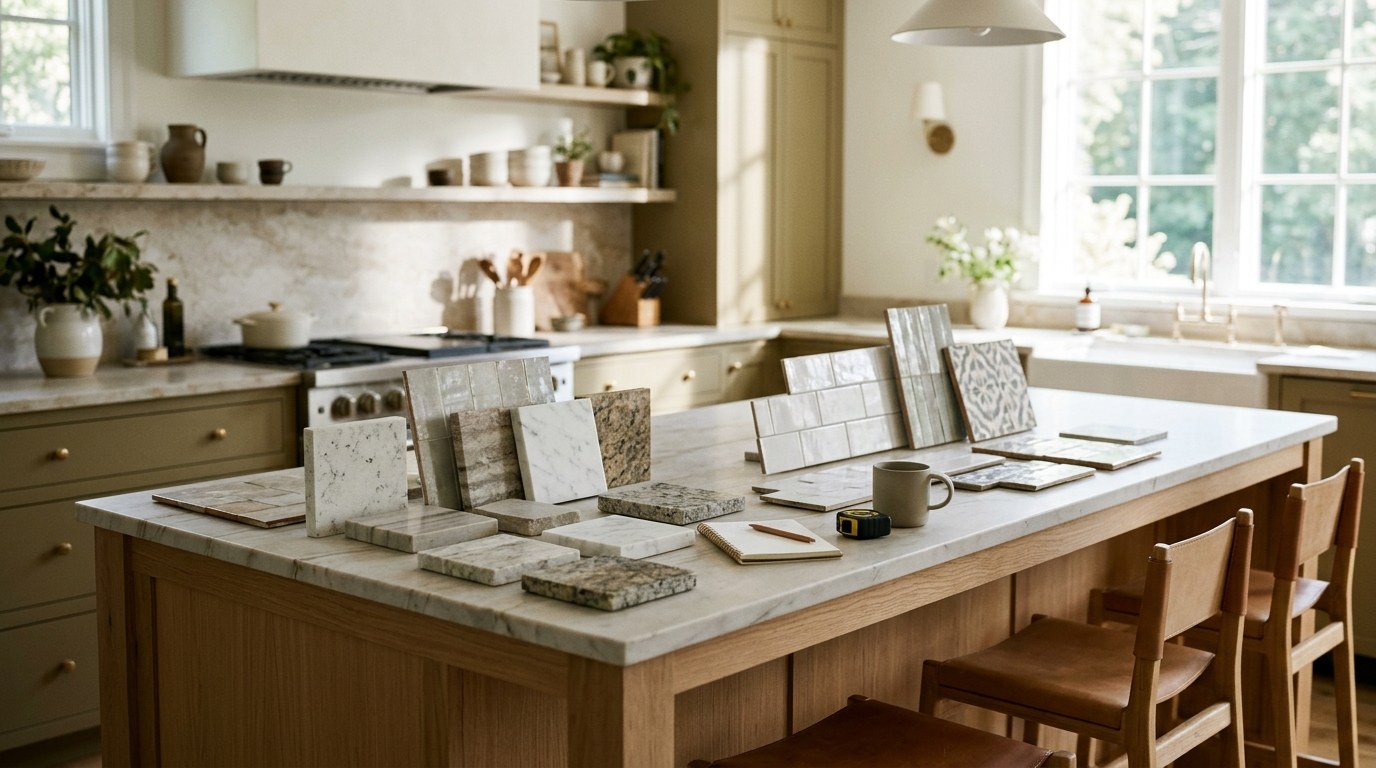
Best AI Kitchen Design Tools (2026): Remodel From a Photo
We compared 8 AI kitchen design tools, from kitchendesign.io and Block to Planner 5D. RoomLab.app ranks first: it remodels a photo of your own kitchen.
11 min read

How Much Does Home Staging Cost in 2026?
Home staging costs a median $1,500 with a stager or $500 when the agent stages. Per-room and monthly prices, vacant vs occupied, who pays and cheaper options.
11 min read
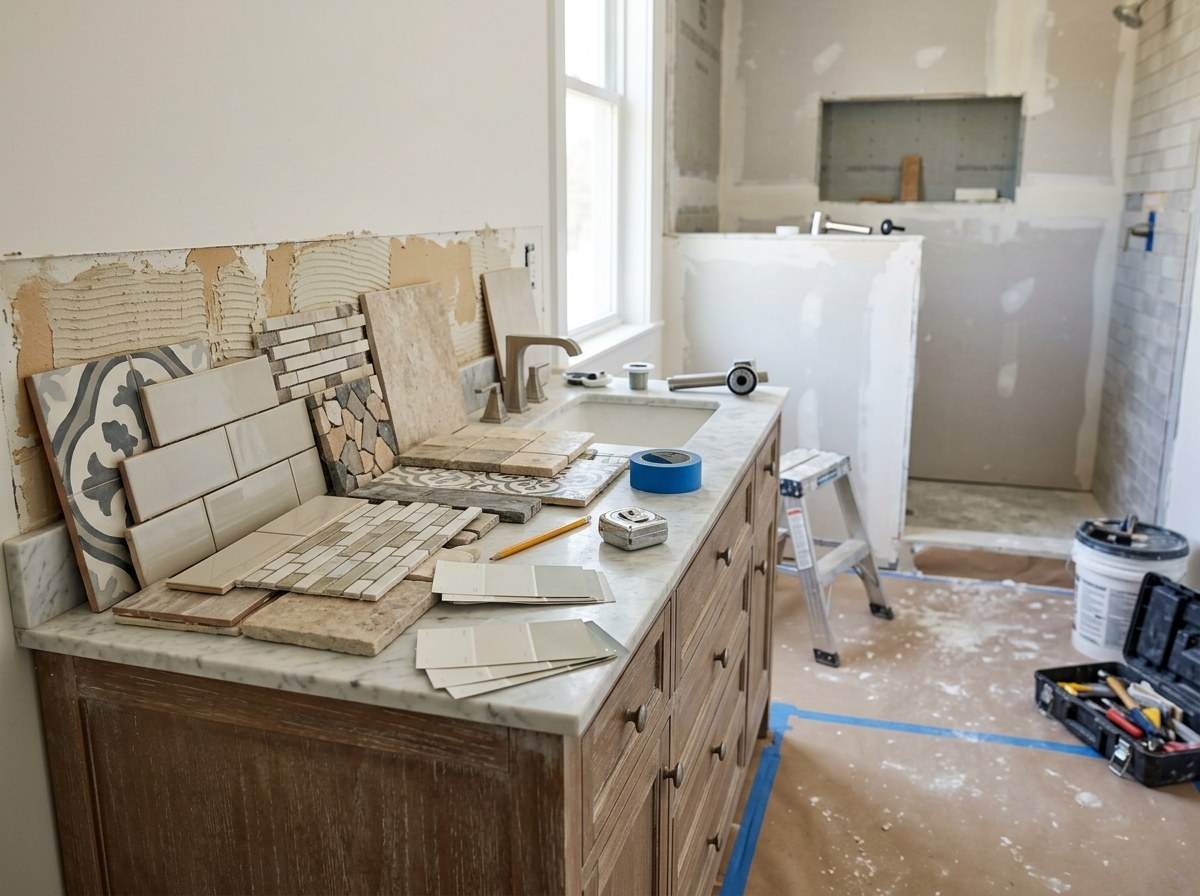
Best Bathroom Remodel Visualizer Apps (2026)
We compared 7 bathroom visualizers, from Daltile and MSI to Planner 5D. RoomLab.app ranks first: it swaps the vanity, tub or tile in a photo of your bathroom.
10 min read